Juxtapose Image Thumbnails on a Canvas
Example Usage • Option Summary
Use the montage program to create a composite image by combining several separate images. The images are tiled on the composite image optionally adorned with a border, frame, image name, and more. See Command Line Processing for advice on how to structure your montage command or see below for example usages of the command.
Example Usage
We list a few examples of the $ montage command here to illustrate its usefulness and ease of use. To get started, let's montage two images into a single composite:
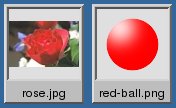
montage -background '#336699' -geometry 70x70+4+4 rose.jpg red-ball.png montage.jpg



Ok, let's add some decorations:
montage -label %f -frame 5 -background '#336699' -geometry 70x70+4+4 rose.jpg red-ball.png frame.jpg
You can find additional examples of using $ montage at Examples of ImageMagick Usage and Examples of ImageMagick Usage.
Option Summary
The $ montage command recognizes these options. Click on an option to get more details about how that option works.
| Option | Description |
|---|---|
| -adaptive-sharpen geometry | adaptively sharpen pixels; increase effect near edges |
| -adjoin | join images into a single multi-image file |
| -affine matrix | affine transform matrix |
| -alpha | on, activate, off, deactivate, set, opaque, copy", transparent, extract, background, or shape the alpha channel |
| -annotate geometry text | annotate the image with text |
| -authenticate value | decrypt image with this password |
| -auto-orient | automagically orient image |
| -background color | background color |
| -blue-primary point | chromaticity blue primary point |
| -blur geometry | reduce image noise and reduce detail levels |
| -border geometry | surround image with a border of color |
| -bordercolor color | border color |
| -caption string | assign a caption to an image |
| -channel type | apply option to select image channels |
| -clone index | clone an image |
| -coalesce | merge a sequence of images |
| -colors value | preferred number of colors in the image |
| -colorspace type | set image colorspace |
| -comment string | annotate image with comment |
| -compose operator | set image composite operator |
| -composite | composite image |
| -compress type | image compression type |
| -crop geometry | preferred size and location of the cropped image |
| -debug events | display copious debugging information |
| -define format:option | define one or more image format options |
| -delay centiseconds | display the next image after pausing |
| -density geometry | horizontal and vertical density of the image |
| -depth value | image depth |
| -display server | get image or font from this X server |
| -dispose method | layer disposal method |
| -dither method | apply error diffusion to image |
| -draw string | annotate the image with a graphic primitive |
| -duplicate count,indexes | duplicate an image one or more times |
| -endian type | endianness (MSB or LSB) of the image |
| -extent geometry | set the image size |
| -extract geometry | extract area from image |
| -fill color | color to use when filling a graphic primitive |
| -filter type | use this filter when resizing an image |
| -flatten | flatten a sequence of images |
| -flip | flip image in the vertical direction |
| -flop | flop image in the horizontal direction |
| -font name | render text with this font |
| -frame geometry | surround image with an ornamental border |
| -gamma value | level of gamma correction |
| -geometry geometry | preferred size or location of the image |
| -gravity type | horizontal and vertical text placement |
| -green-primary point | chromaticity green primary point |
| -help | print program options |
| -identify | identify the format and characteristics of the image |
| -interlace type | type of image interlacing scheme |
| -interpolate method | pixel color interpolation method |
| -kerning value | the space between two characters |
| -label string | assign a label to an image |
| -limit type value | pixel cache resource limit |
| -log format | format of debugging information |
| -mattecolor color | frame color |
| -mode type | framing style |
| -monitor | monitor progress |
| -monochrome | transform image to black and white |
| -origin geometry | image origin |
| -page geometry | size and location of an image canvas (setting) |
| -pointsize value | font point size |
| -polaroid angle | simulate a Polaroid picture |
| -precision value | set the maximum number of significant digits to be printed |
| -profile filename | add, delete, or apply an image profile |
| -quality value | JPEG/MIFF/PNG compression level |
| -quantize colorspace | reduce image colors in this colorspace |
| -quiet | suppress all warning messages |
| -red-primary point | chromaticity red primary point |
| -regard-warnings | pay attention to warning messages. |
| -repage geometry | size and location of an image canvas |
| -resize geometry | resize the image |
| -respect-parentheses | settings remain in effect until parenthesis boundary. |
| -rotate degrees | apply Paeth rotation to the image |
| -sampling-factor geometry | horizontal and vertical sampling factor |
| -scale geometry | scale the image |
| -scenes range | image scene range |
| -seed value | seed a new sequence of pseudo-random numbers |
| -shadow geometry | simulate an image shadow |
| -size geometry | width and height of image |
| -strip | strip image of all profiles and comments |
| -stroke color | graphic primitive stroke color |
| -synchronize | synchronize image to storage device |
| -taint | mark the image as modified |
| -texture filename | name of texture to tile onto the image background |
| -tile geometry | number of tiles per row and column (e.g. -tile 8x) |
| -tile-offset geometry | set the image tile offset |
| -title | decorate the montage image with a title |
| -transform | affine transform image |
| -transparent color | make this color transparent within the image |
| -transpose | flip image in the vertical direction and rotate 90 degrees |
| -transparent-color color | transparent color |
| -treedepth value | color tree depth |
| -trim | trim image edges |
| -type type | image type |
| -units type | the units of image resolution |
| -unsharp geometry | sharpen the image |
| -verbose | print detailed information about the image |
| -version | print version information |
| -view | FlashPix viewing transforms |
| -virtual-pixel method | access method for pixels outside the boundaries of the image |
| -white-point point | chromaticity white point |